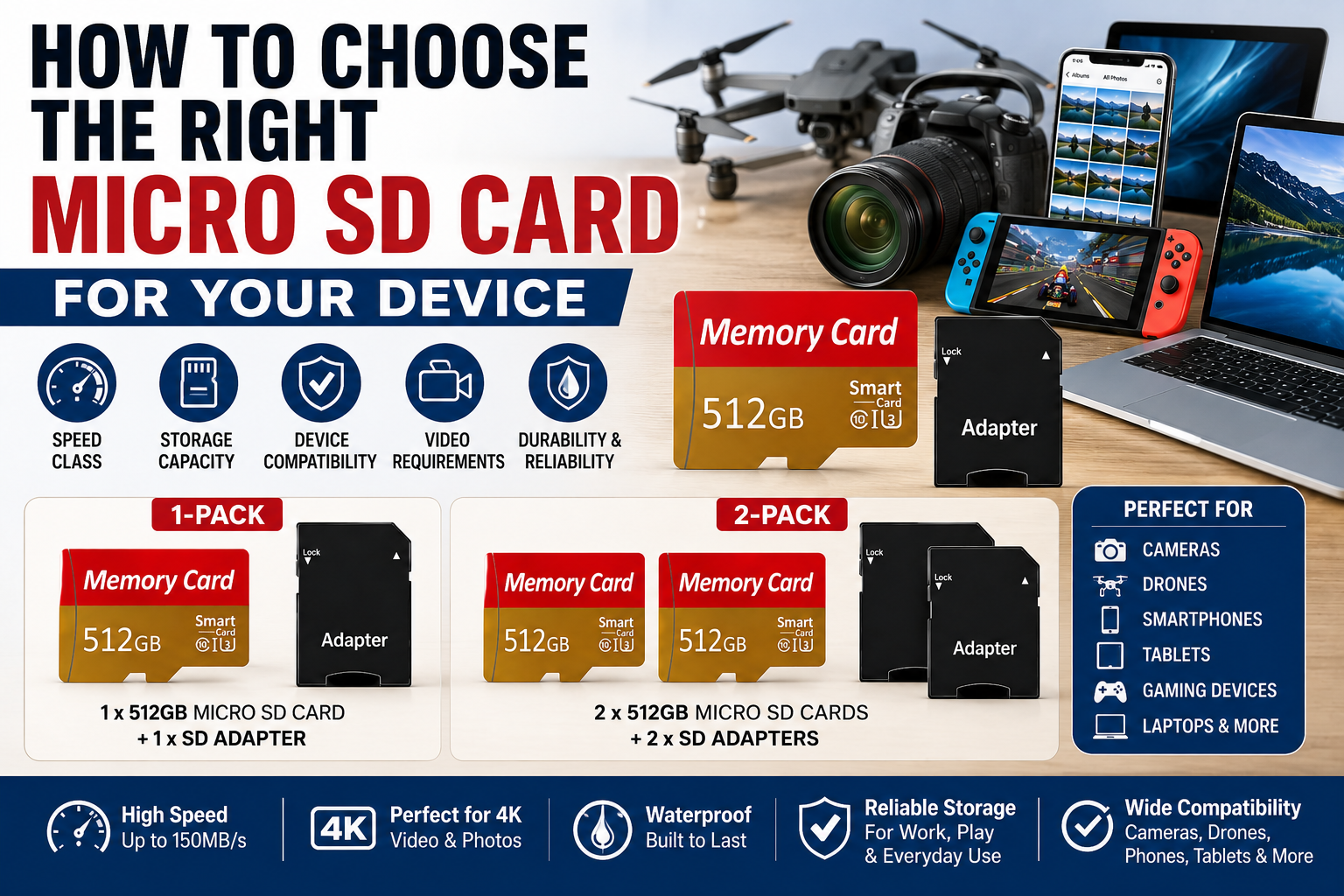
Choosing the right micro SD card means matching the card to your device and the way you plan to use it. Storage capacity matters, but speed ratings, device compatibility, video requirements, and supported card formats can be just as important.
If you are wondering how to select the right memory card for your use, start by identifying what your device supports and what you plan to store or record. A card used mainly for photos or documents may have different requirements from one used for 4K video, drones, gaming devices, or continuous recording.
This guide explains how to choose the right micro SD card for your device, including capacity, physical card size, Class 10, U1 and U3 ratings, V30, UHS-I, read and write speeds, device compatibility, and formatting.
1. Check Whether Your Device Supports Micro SD Cards
Before comparing storage capacities or speed ratings, confirm that your device actually supports micro SD cards.
Some smartphones, tablets, laptops, cameras, drones, gaming systems, security cameras, and other electronics include a micro SD card slot. However, others may use full-size SD cards, internal storage, proprietary memory, or no removable storage at all.
For the most reliable information, check the device manufacturer’s manual, specifications, or support information for your exact model.
2. Do SD Cards Come in Different Sizes?
Yes. SD memory cards come in different physical formats. Two commonly encountered formats are full-size SD cards and smaller micro SD cards.
A micro SD card is designed for devices with a micro SD card slot. A full-size SD card is physically larger and is commonly used in compatible cameras, computers, and card readers.
A micro SD card can also be placed into a compatible full-size SD adapter. The adapter changes the physical form of the card so it can fit into a standard SD slot; it does not increase the card’s storage capacity or change its underlying specifications.
Because the physical dimensions and supported card formats differ, always confirm which type of memory card your device accepts before purchasing one.
3. Choose the Right Micro SD Card Capacity
Micro SD cards are available in many storage capacities. The right amount depends on how much data you plan to store and the maximum capacity supported by your device.
Common uses can include:
- Photos
- Videos
- 4K video recordings
- Music
- Documents
- Games
- Apps and compatible application data
- Camera and drone footage
A larger-capacity card can reduce how often you need to transfer or delete files. However, your device must support that capacity.
For example, a 512GB micro SD card offers a large amount of storage, but you should first confirm that your device supports 512GB cards.
4. What Does Class 10 Mean?
Class 10 is a speed-class rating used on SD and micro SD cards.
A Class 10 rating indicates a minimum sequential write speed of 10 MB/s under the applicable speed-class standard.
Because many modern applications involve larger files and video recording, Class 10 is commonly seen on current micro SD cards. Even so, additional speed ratings such as U1, U3, or V30 may be more useful when evaluating a card for demanding recording applications.
5. What Do U1 and U3 Mean?
The UHS Speed Class system includes ratings such as U1 and U3.
- U1 indicates a minimum sustained write speed of 10 MB/s.
- U3 indicates a minimum sustained write speed of 30 MB/s.
As a result, U3 cards are commonly considered for applications that require higher sustained write performance, including certain high-resolution video recording situations.
However, always compare the card’s rating with the specific requirements of your device.
6. What Does V30 Mean?
V30 is part of the Video Speed Class system.
A V30-rated card is designed to maintain at least 30 MB/s of sequential write performance under the Video Speed Class specification.
This can be important for devices that continuously write large amounts of video data to the card.
If you plan to record 4K video, check the camera or device manufacturer’s recommended card specifications rather than choosing a card based only on capacity.
For more information about storage and speed requirements for 4K recording, read our guide to 512GB Micro SD Cards for 4K Video.
7. What Does UHS-I Mean?
UHS-I refers to an Ultra High Speed bus interface used by many SD and micro SD cards.
The interface affects how the card communicates with compatible devices. Nevertheless, the presence of UHS-I by itself does not tell you the card’s exact sustained write speed.
For that reason, look at the complete group of specifications rather than relying on one label alone.
A card may display several markings at the same time, such as Class 10, U3, V30, and UHS-I.
8. Understand Read Speed vs. Write Speed
Read speed and write speed describe different types of performance.
Read speed relates to how quickly data can be read from the card. This can affect tasks such as opening files or transferring data from the card to another device.
Write speed relates to how quickly information can be written onto the card. This is particularly important when recording video, taking bursts of photos, or saving continuous data.
Therefore, a large advertised maximum read-speed number does not automatically mean the card can sustain the write speed required by your camera or other recording device.
9. How to Choose a Micro SD Card for a Camera
When choosing a micro SD card for a camera, start by checking the camera manufacturer’s supported capacity and speed requirements.
Consider factors such as:
- Maximum supported card capacity
- Photo resolution
- Video resolution
- Video bitrate
- Required speed class
- Continuous or burst shooting requirements
If the camera records high-resolution or high-bitrate video, sustained write performance becomes especially important.
In addition, some cameras may recommend specific card types or speed ratings in the user manual.
10. How to Choose a Micro SD Card for a Drone
Drones can generate large video files, especially when recording in high resolution.
Before buying a card, confirm the drone’s:
- Maximum supported storage capacity
- Recommended speed class
- Supported card format
- Maximum video resolution and bitrate
A large-capacity card may allow longer recording sessions. However, capacity will not help if the card’s sustained write speed does not meet the drone’s recording requirements.
11. How to Choose a Micro SD Card for a Smartphone or Tablet
Some smartphones and tablets support expandable storage through a micro SD card slot.
If your device supports micro SD storage, first check the maximum supported capacity. Then consider what you plan to store.
For example, a larger card may be useful for:
- Photos
- Videos
- Music
- Downloaded media
- Documents
- Other compatible files
However, app-storage support varies by device and operating system. Therefore, do not assume every app or type of data can be moved to the card.
12. How to Choose a Micro SD Card for Gaming Devices
Some handheld gaming systems and other gaming devices support micro SD cards for additional storage.
When choosing a card, check the manufacturer’s stated storage limits and supported card standards.
Capacity can be particularly important when storing large digital games. At the same time, compatibility should come before simply choosing the largest card available.
13. Do You Need an SD Card Adapter?
A micro SD card adapter allows a micro SD card to fit into a standard full-size SD card slot.
This can be useful with compatible:
- Laptops
- Desktop card readers
- Cameras
- Printers
- Other devices with full-size SD slots
The adapter does not increase the storage capacity of the micro SD card. Instead, it changes the physical form so the card can fit into a compatible SD slot.
14. Should You Buy One Micro SD Card or Two?
Whether you need one card or multiple cards depends on how you use your devices.
A single high-capacity card may be convenient if you primarily use one compatible device.
On the other hand, having two cards can provide additional flexibility. For example, you may want one card for a camera and another for a drone, or you may prefer to rotate cards while transferring files.
Some users also prefer keeping a separate card available rather than relying on only one storage device.
15. Format the Card for the Device That Will Use It
After choosing a compatible card, you may need to format it before use.
Formatting prepares the card’s file system for storage. However, formatting also erases the data currently stored on the card, so always back up important files first.
Whenever possible, follow the device manufacturer’s instructions for formatting removable storage.
For Windows instructions and additional formatting information, see our guide on How to Format a 512GB Micro SD Card.
16. Back Up Important Files
A micro SD card can provide convenient portable storage, but important files should not exist in only one place.
For valuable photos, videos, documents, or other files, consider maintaining another copy on a computer, external storage device, or appropriate backup service.
That way, one damaged, lost, or corrupted storage device does not automatically mean the only copy of your files is gone.
Quick Micro SD Card Buying Checklist
Before buying a micro SD card, compare the card specifications with the requirements of your device.
- Confirm that your device supports micro SD cards
- Check the maximum supported storage capacity
- Determine whether you need Class 10, U1, U3, V30, or another speed rating
- Verify whether your device supports UHS-I
- Consider how much storage you actually need
- Review the manufacturer’s recommendations for your exact device model
For cameras, drones, and other recording devices, also pay close attention to sustained write-speed requirements rather than relying only on the maximum advertised read speed.
Choosing a 512GB Micro SD Card
If your device supports 512GB storage, a 512GB micro SD card can provide substantial room for photos, video, music, documents, games, and other compatible files.
The Friend Brand offers a 512GB Micro SD Card with Adapter rated Class 10, UHS-I, U3, and V30 for compatible devices.
If you need more than one card, you can also view the 2-Pack 512GB Micro SD Cards.
As always, verify that your specific device supports the card capacity and required speed specifications before purchasing or using the card.
Frequently Asked Questions About Choosing a Micro SD Card
How do I select the right memory card for my use?
Start by checking which card type, storage capacity, and speed ratings your device supports. Then consider how you plan to use the card, such as storing photos and documents, recording video, gaming, or using it in a camera or drone. Match both the card’s capacity and performance specifications to your device and intended use.
How do I know which micro SD card I need?
Start with your device manufacturer’s specifications. Confirm the supported card type, maximum capacity, required speed class, and any additional recommendations for your intended use.
What size micro SD card should I buy?
The appropriate capacity depends on your device’s maximum supported storage and how much data you plan to keep on the card. Larger cards can hold more files, but the device must support the capacity you choose.
Do SD cards come in different sizes?
Yes. Full-size SD cards and micro SD cards have different physical dimensions. Make sure you choose the format that fits your device. A compatible SD adapter can allow a micro SD card to fit into a full-size SD card slot.
How can I tell what class an SD card is?
Look at the symbols and markings printed on the card or its packaging. Depending on the card, these may include a Class rating such as Class 10, a UHS Speed Class such as U1 or U3, or a Video Speed Class such as V30. Check the manufacturer’s specifications if the markings are unclear.
Is a larger micro SD card always better?
No. A larger card provides more storage, but compatibility and performance requirements still matter. A card that exceeds your device’s supported capacity may not work properly.
Is Class 10 good for a micro SD card?
Class 10 indicates a minimum sequential write speed of 10 MB/s under the Class 10 specification. However, more demanding uses may also require ratings such as U3 or V30.
What is the difference between U1 and U3?
U1 indicates a minimum sustained write speed of 10 MB/s, while U3 indicates a minimum sustained write speed of 30 MB/s under the UHS Speed Class specification.
What is V30 on a micro SD card?
V30 is a Video Speed Class rating indicating a minimum sustained sequential write speed of 30 MB/s under that specification.
Do I need V30 for 4K video?
Some 4K recording devices recommend or require V30 or another specific speed rating, while others may have different requirements. Therefore, check the manufacturer’s specifications for your exact camera, drone, phone, or other recording device.
Can I use a 512GB micro SD card in any device?
No. The device must support 512GB micro SD cards. Always check the maximum supported capacity before purchasing a high-capacity card.
Does a faster micro SD card make every device faster?
Not necessarily. Performance depends on the card, device, interface, workload, and other factors. A faster-rated card cannot make a device exceed its own hardware or interface limitations.
What is the difference between read speed and write speed?
Read speed describes how quickly data can be retrieved from the card, while write speed describes how quickly new data can be saved to it. Recording applications often depend heavily on sustained write performance.
Should I format a new micro SD card before using it?
That depends on the device and how the card is supplied. Some devices may prompt you to format the card, while others may accept the existing file system. Follow the manufacturer’s instructions for your specific device.
How to Select the Right Memory Card for Your Use
Knowing how to choose the right micro SD card comes down to matching the card to your device and intended use.
First, confirm compatibility, physical card format, and maximum supported capacity. Next, compare speed ratings such as Class 10, U1, U3, and V30 with the requirements of your device. Finally, consider how much storage you need and whether features such as an SD adapter are useful for your setup.
If your compatible device supports 512GB storage, explore The Friend Brand’s 512GB Micro SD Card with Adapter or the 2-Pack 512GB Micro SD Cards.
[…] For a broader explanation of these specifications, see How to Choose the Right Micro SD Card. […]