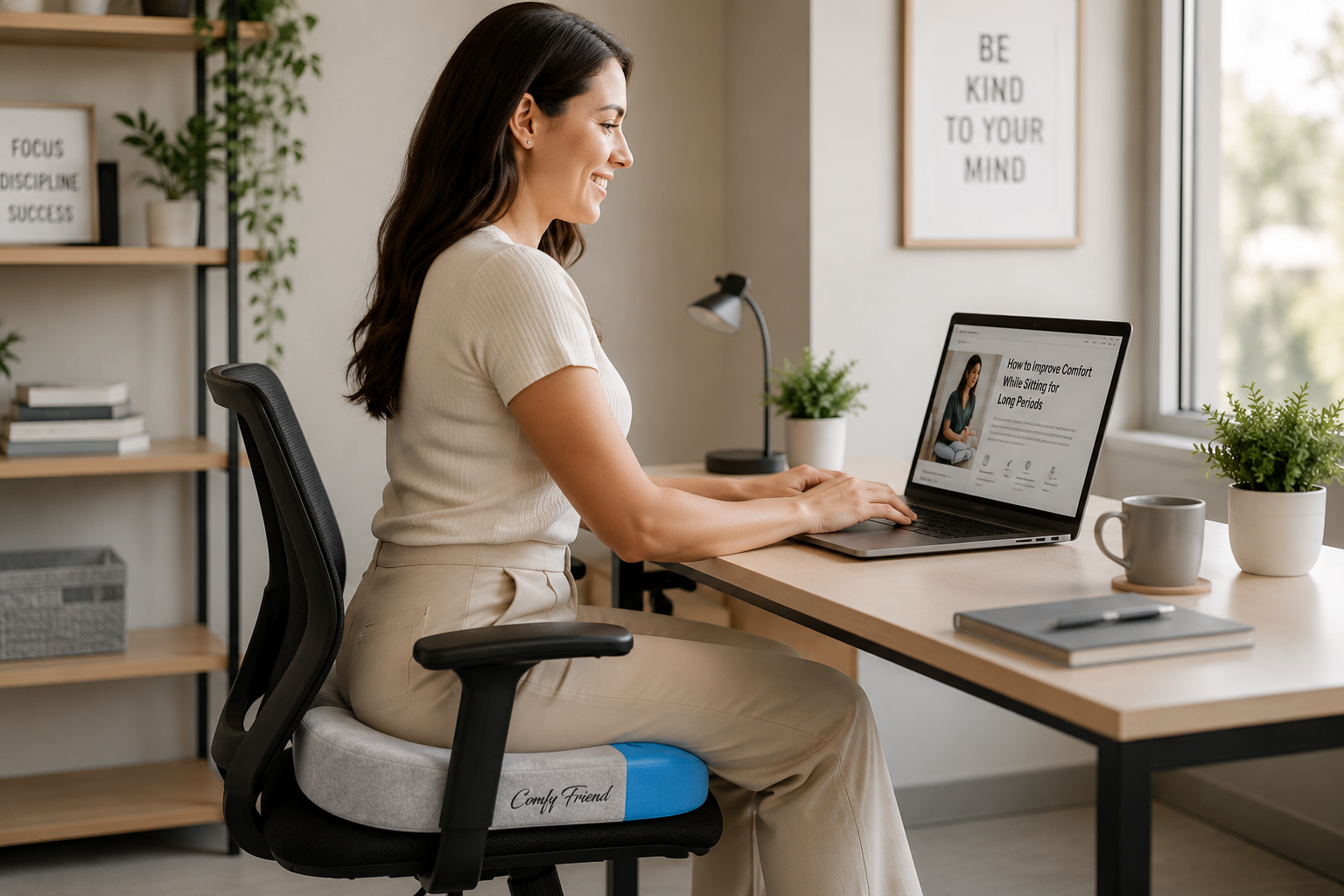
Spending long periods sitting can become uncomfortable whether you are working at a desk, driving, traveling, gaming, or relaxing at home. The good news is that a few simple adjustments to your chair, sitting position, workstation, and daily routine can make sitting feel more comfortable.
If you are wondering how to sit comfortably for long periods, start with the basics: support your feet and back, position frequently used items within easy reach, change positions regularly, and avoid remaining completely still for hours at a time.
This guide explains practical ways to improve sitting comfort at home, at work, and while traveling.
1. Start With a Comfortable Sitting Position
A supported sitting position can make longer periods of sitting feel more manageable.
When sitting at a desk, try to:
- Keep your feet supported by the floor or a footrest
- Keep your shoulders relaxed
- Keep your elbows relatively close to your body
- Support your back against the chair
- Keep frequently used items within comfortable reach
- Avoid repeatedly twisting or reaching to one side
The goal is not to force yourself into one rigid position all day. Instead, find a supported position that feels comfortable and allows you to change positions throughout the day.
2. Adjust Your Chair to Fit Your Body
A chair may look comfortable but still be poorly adjusted for the person using it.
If your chair has adjustable features, begin with the seat height. Your feet should have stable support rather than hanging unsupported.
If you need to raise the chair to work comfortably at your desk and your feet no longer reach the floor, a suitable footrest can provide support.
Next, check the backrest. Your back should feel supported while still allowing you to sit naturally. If your chair has adjustable lumbar support, position it so that it comfortably supports your lower back.
3. Avoid Sitting in One Position for Too Long
Even a comfortable chair does not eliminate the importance of movement.
Instead of trying to maintain one “perfect” sitting position for hours, change your position periodically.
You might:
- Stand up
- Walk around briefly
- Change your sitting position
- Adjust your backrest
- Reposition your feet
- Perform a comfortable stretch or mobility movement
Small changes throughout the day can help break up long periods of sitting.
4. Set Up Your Desk and Monitor for Comfortable Reach
If you spend much of your day working at a computer, your desk setup can have a major effect on sitting comfort.
Your keyboard, mouse, monitor, phone, and other frequently used items should be positioned so that you do not constantly have to reach, twist, or turn your head.
Keep the keyboard and mouse close enough that you can use them without excessive reaching. Position your monitor directly in front of you whenever possible.
A comfortable workstation should work with your body rather than forcing you to adapt to an awkward setup.
5. Add Movement Throughout the Day
Regular movement is an important part of dealing with long periods of sitting.
Depending on your work, schedule, and physical abilities, consider periodically:
- Standing up from your chair
- Walking around for a few minutes
- Changing your sitting position
- Moving your shoulders and arms
- Stretching your hands or torso
- Completing an appropriate task while standing
You do not necessarily need to make major changes to your entire routine. The main goal is to avoid remaining completely stationary for extended periods.
6. Consider Adding a Seat Cushion
Sometimes the chair itself does not provide the type of sitting surface you prefer. Adding a seat cushion can change the feel of the chair and provide an additional layer of cushioning.
When choosing a cushion, consider:
- The width and depth of your chair
- The dimensions of the cushion
- The firmness you prefer
- The cushion material
- Whether the cushion stays securely positioned
- Where you plan to use it
The ComfyFriend Seat Cushion from The Friend Brand is designed to add a cushioned sitting surface using memory foam and can be used with compatible seating.
7. Make Sure Your Feet Are Supported
Your feet are an easy part of your sitting setup to overlook.
When sitting at a desk, your feet should have stable support. If they cannot comfortably reach the floor because of the chair height required for your desk, consider using an appropriate footrest.
You should also have enough room beneath the desk to position and move your legs comfortably.
8. Make Sure Your Chair Has Enough Space
A chair should provide enough room for you to sit comfortably without feeling crowded or restricted.
Before adding accessories such as a seat cushion, check that the cushion dimensions work with the chair and do not leave you sitting too high, too far forward, or without adequate back support.
Chair size, cushion thickness, and desk height can all affect how the complete setup feels.
9. Improve Sitting Comfort While Working From Home
Working from home often means spending time at dining chairs, kitchen tables, couches, or other furniture that was not originally designed for long work sessions.
If possible, create a more consistent workstation with:
- A stable chair
- Back support
- Supported feet
- A screen positioned within comfortable viewing range
- A keyboard and mouse within easy reach
- Enough room to change position
Even small workstation adjustments can make working from home more comfortable.
10. Improve Comfort While Driving or Traveling
Long periods of sitting do not happen only at a desk.
Driving, riding in a vehicle, flying, and other forms of travel can also involve staying seated for extended periods.
When possible, look for a supported sitting position, avoid keeping objects in positions that interfere with how you sit, and change position periodically.
During longer trips, opportunities to stand, walk, or change position can help break up extended periods of sitting when it is practical and safe to do so.
11. Think About Sitting While Gaming or Watching Television
Gaming and watching television can also lead to long periods of sitting, especially when you become focused on what you are doing.
Pay attention to the same basic principles:
- Use a supportive seat
- Keep your feet supported
- Avoid excessive reaching
- Change your position periodically
- Take opportunities to stand or move
A comfortable setup should still allow you to move rather than keeping you locked into the same position for hours.
How Can You Make an Office Chair More Comfortable?
Start by adjusting the chair before replacing it.
Check the seat height, backrest position, lumbar support, armrests, and your distance from the desk. Make sure your feet are supported and your keyboard, mouse, and monitor are positioned within comfortable reach.
If the sitting surface still does not feel comfortable, an appropriately sized seat cushion can provide an additional layer between you and the chair.
Can a Seat Cushion Make Sitting More Comfortable?
A seat cushion changes the surface you are sitting on and can add extra cushioning to a compatible chair or seat.
Comfort is subjective, so the best cushion depends on the individual, the chair, cushion dimensions, material, thickness, firmness, and how the complete setup feels.
If you use a cushion, make sure it does not place you so high in the chair that your feet lose support or your desk and backrest no longer fit properly.
How Often Should You Get Up From Sitting?
There is no single schedule that is appropriate for every person or situation.
The important principle is to avoid remaining completely stationary for very long periods when you have the opportunity to change position or move.
Short standing, walking, or movement breaks can be incorporated into your day based on your work, schedule, and physical abilities.
Frequently Asked Questions About Sitting Comfort
How can I sit comfortably for long periods of time?
Start with a supportive sitting position, keep your feet supported, adjust your chair to fit your body, position frequently used items within comfortable reach, and change positions periodically throughout the day.
What is the best sitting position for working at a computer?
A comfortable workstation generally supports your back, allows your feet to rest on the floor or a footrest, keeps your shoulders relaxed, and places commonly used equipment within comfortable reach. Your setup should also allow you to change positions regularly.
Should my feet be flat on the floor when sitting?
Your feet should have stable support. If they cannot comfortably reach the floor because of the height required for your chair and desk, a footrest can provide support.
Can a seat cushion make a chair more comfortable?
A seat cushion can add another layer of cushioning and change how the chair feels. Whether it improves comfort depends on the chair, cushion size, material, firmness, and individual preference.
Is good posture enough if I sit all day?
No single sitting position should be maintained indefinitely. Changing position and periodically getting up and moving are also important parts of a comfortable sitting routine.
Can I use a seat cushion at a desk, in a car, or while traveling?
Potentially, provided the cushion fits the seat appropriately and does not interfere with safe operation, seat belts, controls, posture, or other equipment. Always make sure the cushion is appropriate for the particular seat and situation.
Why does my chair become uncomfortable after sitting for a long time?
Several factors can contribute, including chair fit, limited cushioning, insufficient back or foot support, an awkward workstation setup, or remaining in the same position for too long.
How to Sit Comfortably for Long Periods of Time
Learning how to sit comfortably for long periods usually starts with a combination of chair adjustment, body support, workstation setup, and regular movement.
Support your feet and back, keep frequently used equipment within comfortable reach, adjust your chair to fit your body, and change positions throughout the day instead of trying to remain completely still.
If your existing seat could use additional cushioning, you can also explore the ComfyFriend Seat Cushion from The Friend Brand as one option for adding a cushioned sitting surface to a compatible chair or seat.
This article provides general educational information and is not medical advice. If sitting causes persistent or significant pain, numbness, weakness, or other concerning symptoms, consider discussing them with a qualified healthcare professional.